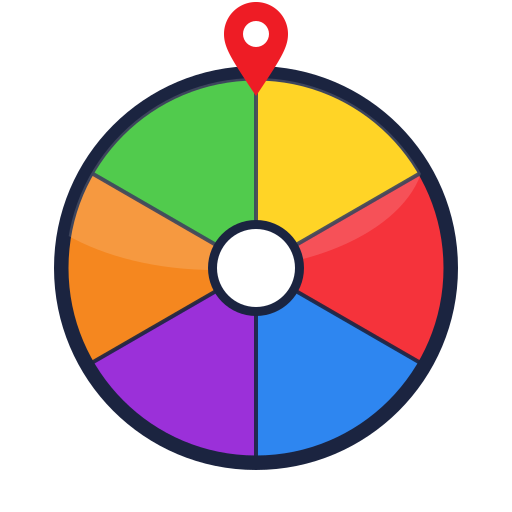
Classroom name picker
Teachers use a wheel to call on students without anyone feeling singled out — choosing who answers, assigning jobs, or setting presentation order.
Tip: paste a list from a spreadsheet or document — each line becomes a segment.
Free · No sign-up · No download · Works on any device
Random Pick Wheel is a free online spin the wheel tool. Add a list of names, numbers, prizes or options, press spin, and the wheel picks one at random — fairly, and in front of everyone. No account, no download, nothing to install.
Use it for classroom name picking, giveaway draws, party games and everyday “which one?” decisions. The wheel runs entirely in your browser, so it is fast and private.
A spin the wheel — also called a wheel spinner, wheel of names or random picker wheel — is a simple tool for choosing one option from a list at random. You divide a circle into equal segments, put one choice in each, give it a spin, and whichever segment lands on the pointer wins.
The digital version just makes it instant. Because every segment is the same size, the outcome feels fair and transparent — which is why teachers, streamers and teams reach for a wheel instead of picking someone themselves.
Three steps, about ten seconds.
Type or paste a list — one name, number, food, task or prize per line. The wheel updates as you type.
Open Advanced options to change the colour theme, set a title above the wheel, adjust the spin length, or turn sound and confetti off.
Click the wheel or the Spin button. When it stops, the winner pops up — spin again, or remove that entry before the next draw.
Each entry becomes an equal segment. The moment you spin, your browser picks the winner with its built-in random number generator, then the wheel animates to land there. Every entry has the same chance and every spin is independent of the last.
Teachers use a wheel to call on students without anyone feeling singled out — choosing who answers, assigning jobs, or setting presentation order.
Paste your entrant list and spin live on stream or on a call. Turn on “remove the winner” to draw first, second and third place with no duplicates.
What to cook, which restaurant, which movie, who does the dishes, where to travel next — put the options on the wheel and let it break the tie.
Truth or dare, “would you rather”, random challenges and team assignments all work well because the visible spin adds a little suspense.
Small groups or big lists — there is no cap.
Six palettes, including a high-contrast grayscale.
Draw several results in a row with no repeats.
Your wheel is kept in your browser; “Copy share link” sends it to anyone.
Every spin is logged with a running count per entry.
A clean, big wheel for classrooms and presentations.
Optional, and off in one click.
No account, and nothing you type is sent to a server.
Nobody has to be the person who picked. The result comes from the wheel, so it does not feel personal.
The full list is on screen and the spin happens in the open, so no one suspects favouritism.
Put the options up, spin once, move on. It settles a decision in a couple of seconds.
Unlike a coin or a single dice roll, a wheel handles two options or two hundred.
Start from a template and tweak it — nothing to set up.
Yes. Every feature on this page is free to use with no account, no sign-up and no download. The wheel runs entirely in your browser.
There is no hard limit. The wheel stays readable up to a few hundred entries; past that, labels get small but the random draw still works.
Yes. Each spin calls your browser's built-in random number generator to pick one entry, and every entry has an equal chance. The spinning animation is just a visual — the result is decided the moment you press spin.
Many people do. Paste your list of entrants, turn on “remove the winner after each spin” if you are drawing several prizes, and spin. For a public draw, share your screen so everyone can watch.
Your current wheel is saved locally in your own browser so it is still there when you come back. Nothing is uploaded to us. Use “Copy share link” to send a wheel to someone else.
Yes. The page is responsive and the wheel is touch-friendly, so it works on phones, tablets, laptops and interactive whiteboards.